
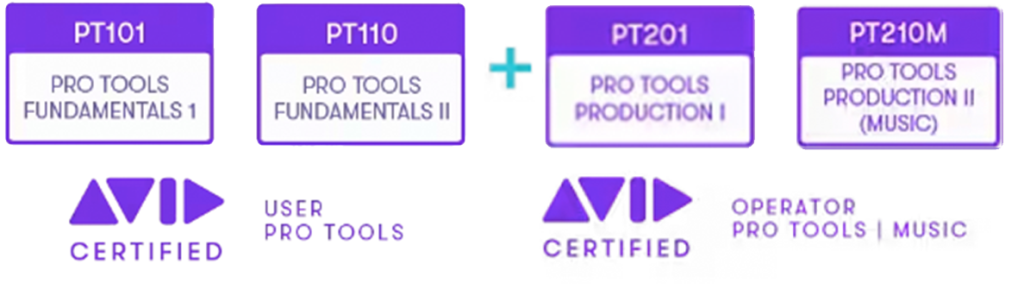
The PT210M Pro Tools Production II (Music Production) course covers techniques for working with Pro Tools systems in a professional music production environment. Concepts and skills learnt in the Pro Tools Fundamentals I (PT101), Pro Tools Fundamentals II (PT110) and Pro Tools Production I (PT201) courses are reinforced with practical music-specific examples.
This course prepares candidates for the Avid Certified Operator: Pro Tools | Post certification exam.
AUDIENCE
This course is designed for end-users with intermediate Pro Tools skills with an interest in learning how to use Pro Tools Ultimate systems with HD-series hardware in a professional music environment.
PREREQUISITES
Completion of the following courses and passing of the associated certification exams:
- PT101 Pro Tools Fundamentals I
- PT110 Pro Tools Fundamentals II
- PT201 Pro Tools Production I
- Candidates wishing to take this certification exam must have passed the Avid Certified User: Pro Tools certification exam.
LEARNING OBJECTIVES
At the end of this course you will be able to:
- Set up MIDI devices for use with Pro Tools
- Match a session’s tempo to an existing audio performance
- Control plugins with MIDI controllers
- Utilize advanced MIDI and audio recording options
- Share tracks for collaboration using a variety of techniques
- Record multiple takes to playlists
- Use Playlists view and assemble a composite performance
- Use Dynamic Transport for working with loops
- Use Beat Detective for a variety of purposes
- Use advanced MIDI production techniques, including the Restore Performance function, the Select/Split Notes function, MIDI Editor windows, and the Score Editor window
- Create drum patterns using MIDI and enhance drum performances with MIDI drums and/or drum samples
- Work with Bar|Beat Markers and the Graphic Tempo Editor
- Add and edit Key Change events
- Use catalogs for sound libraries
- Use Cut Time, Insert Time, and clip groups for song arrangement
- Apply static automation techniques
- Use Preview and Punch Preview workflows
- Fine-tune automation using Trim mode
- Bounce and render stems and create final bounces in a variety of ways
- Sit the associated certification exam
