
The Pro Tools Production I (PT201) course covers the core concepts and skills needed to operate an Avid Pro Tools Ultimate system with HD-series hardware in a professional studio environment. This course builds on the Pro Tools Fundamentals I and II series of courses, providing intermediate and advanced-level Pro Tools concepts and techniques.
This course is designed for end-users with intermediate Pro Tools skills. It is conducted remotely in a one-on-one remote environment to ensure individual attention and the ability to customize the course.
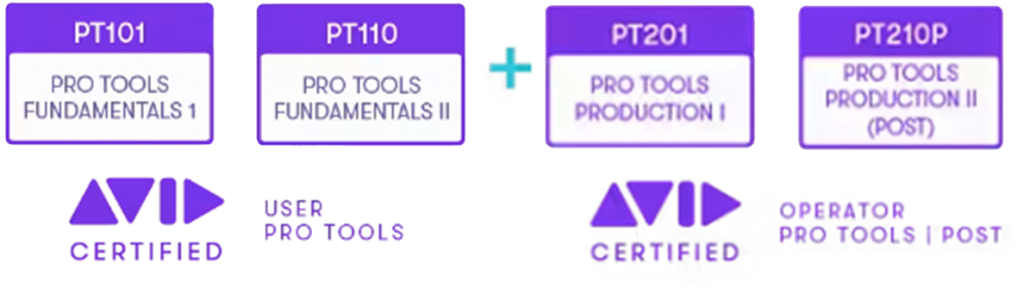
If you are on a budget, we also offer a self study option for only $600. You have three months to complete the training. This includes access to 800 hours of content across everything Avid Technology offers. Pricing includes user ertification upon passing the official exam.
OVERVIEW
Learn how to customize the configuration of Pro Tools | HD Native systems to maximize results and improve recording, editing, and mixing workflows. The hands-on exercises provide experience optimizing system resources, configuring I/O, navigating and color-coding sessions, managing session media, using advanced selection and auditioning techniques, working with clip gain, applying advanced automation techniques, creating sub-mixes and applying parallel processing, advanced mixing and finishing techniques for a final mix-down.
This course provides the foundational training for the Avid Certified Operator: Pro Tools | Music and Avid Certified Operator: Pro Tools | Post certification exams.
PREREQUISITES
- PT101 Pro Tools Fundamentals I
- PT110 Pro Tools Fundamentals II
- Candidates must have passed the Avid Certified User: Pro Tools certification exam
COURSE SCHEDULE
Course Length: 16 hours (flexible training schedule) – weekends, evenings, etc.
Recommended # hours per session: 3 hrs per day.
Pricing: Please call for price options and availability. (866-566-1881)
*This course can also be customized to your specific workflow environment.
LEARNING OBJECTIVES
- Configure settings to optimize a Pro Tools Ultimate system with HD-series hardware
- Customize I/O settings
- Work with Window Configurations
- Manage voice allocation and disk allocation options
- Share tracks for collaboration using a variety of techniques
- Index volumes for quick searching with a Workspace browser
- Use advanced selection, nudging, and shifting techniques
- Use advanced auditioning techniques, including pre-and post-roll auditions
- Use alternate Edit tools and advanced editing techniques
- Use clip alignment techniques, such as snap-to-heads, snap-to-tails, and snap-to-sync point
- Use basic Commands Keyboard Focus mode shortcuts
- Work with clip gain
- Use advanced automation functions, including AutoMatch, Manual Write functions, and Write on Stop functions
- Setup and use AFL and PFL solo modes
- Use submixing techniques and bus interrogation techniques
- Work with VCA Master tracks
- Understand a variety of common mixdown techniques
